HOT shares display preferences with DOMTrader:
•Depth of market (DOM) columns (two options inactive for HOT)
•Show estimated place in queue
Auto-link price with chart is on by default for HOT.
•Order placement methods (no fast-click mode for HOT)
•Function buttons (only cancel buttons for HOT)
Display preferences that apply to all trading windows are described in Trading Display Preferences.
To open these preferences, click the Setup button and then click Trading Preferences.
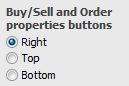
Buy/Sell and Order properties buttons
Move buttons from the right to the top of bottom of the HOT window.